I Finally Stopped My Server From Crashing on 1000-Page PDFs
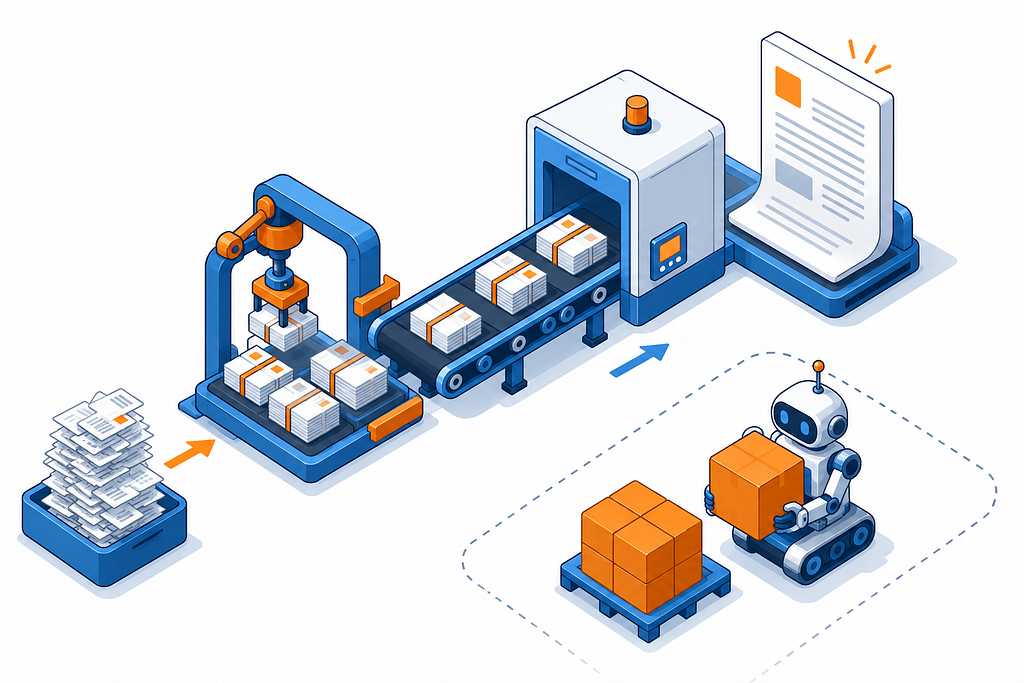
Our app lets warehouse managers download barcode label PDFs, one label per box, up to 1,000 boxes in a single shipment. Small shipments were fine. Big ones crashed the server, timed out, or slowed everything down for every other user on the box.
Here’s exactly what was breaking and what I changed to fix it. You don’t need to know Puppeteer or headless Chrome to follow along.
Since the crashes hit in the middle of the workday, the first thing I shipped was a quick safety rule: when the server gets overloaded, it stops making new PDFs for a moment instead of falling over. A few people get a “try again in a second” message, but the server stays up, and that bought me time to build the real fixes below.
What the feature actually does
Picture a shipping label, one per box, with a scannable barcode on it. A single shipment (what we call an ASN) can contain anywhere from 1,000 to 2,000 boxes. So one “Download PDF” click can mean generating maybe 2,000 labels in a single file.
Small shipments worked fine for months. Then the big ones started rolling in, and we started seeing three flavors of failure:
- The server ran out of memory and crashed.
- The request timed out after two minutes, and the user got nothing.
- Everyone else on the server got slow responses or errors while one giant PDF was being built.
The setup, in plain terms
Our backend is a Node.js + Express server running on a single EC2 box. To turn HTML into a PDF, we use Puppeteer, which drives an invisible Chrome browser. You hand Puppeteer an HTML string, it renders it like a web page, and then it prints that page to a PDF.
The original flow looked like this:
User clicks Download
  → Fetch all 2,000 box records from the database
  → Build one enormous HTML string (all 2,000 labels)
  → Launch Chrome
  → Chrome renders the whole thing
  → Chrome prints one big PDF
  → Server holds the entire PDF in memory
  → Upload the PDF to S3
  → Return a download link
Every single step in that chain has a ceiling. And at 2,000 labels, we were hitting all of them at once.
Problem 1: One giant HTML page makes Chrome fall over
All 2,000 labels were stitched into a single HTML document. At that size, the HTML string alone can be 5–10 MB, and Chrome has to hold and lay out the entire thing before it can print. It would either run out of memory partway through or take so long that Node’s timeout killed the job first.
The fix: cut the work into chunks of 20.
Instead of one massive page, we split the 2,000 labels into groups of 20–40. Each group becomes its own small, self-contained HTML document. Chrome renders 20 labels without breaking a sweat. Do that 100 times and you’ve got all 2,000.
const CHUNK_SIZE = 20;
const chunks = [];
for (let i = 0; i < values.length; i += CHUNK_SIZE) {
  chunks.push(values.slice(i, i + CHUNK_SIZE));
}
// Each chunk becomes its own HTML document
return {
  chunks: chunks.map(chunk => ({ content: buildHtmlDocument(chunk, barcodeMap) })),
  itemCount: values.length,
};
The function now hands back an array of small HTML documents instead of one giant string. The rest of the pipeline knows to render each one separately.
The mental model here is the one every scaling story eventually arrives at: don’t ask one worker to lift the whole load at once. Break it into pieces small enough that any single piece is boring.
Problem 2: Barcodes drawn in the browser kept hanging Chrome
Originally, each label drew its barcode using JsBarcode, a JavaScript library that runs inside the browser. When Chrome loaded a label’s HTML, it would execute JsBarcode to paint the barcode as SVG. Fine for small PDFs.
But there was a second, sneakier problem hiding in the same HTML: the labels pulled Google Fonts over the internet with <link> tags, and we were telling Puppeteer to wait until the network went quiet before printing (waitUntil: 'networkidle0', which waits for ~500ms of zero network activity).
On a headless server that couldn’t reliably reach Google’s font servers, those requests sometimes just… never finished. Chrome would sit there waiting for a font that was never coming, and Puppeteer would eventually time out and fail the whole job.
The fix: do the barcode work on the server, and stop reaching out to the internet entirely.
We swapped JsBarcode (browser-side) for bwip-js (server-side). Now Node draws each barcode as a PNG before Chrome ever sees the HTML.
No script to run, no network call, Chrome just renders an image that’s already sitting in the HTML.
We did the same trick for fonts: out went the Google Fonts <link> tags, in came inline base64-encoded font CSS. The font travels inside the HTML now, so Chrome never has to leave the box to fetch anything.
The principle worth stealing: rendering should have zero external dependencies. Fonts, images, scripts, inline them or serve them from localhost. Anything that reaches out to the public internet during a render is a failure waiting for a bad network day.
Problem 3: Merging 100 PDFs in memory blew up the heap
After rendering 100 chunk PDFs, we still have to merge them into one final file. The original code used pdf-lib, a JavaScript library, like this:
const mergedPdf = await PDFDocument.create();
for (const buffer of pdfBuffers) {
  const pdf = await PDFDocument.load(buffer);   // whole PDF into the JS heap
  const copiedPages = await mergedPdf.copyPages(pdf, pdf.getPageIndices());
  copiedPages.forEach(page => mergedPdf.addPage(page));
}
const finalBuffer = await mergedPdf.save();     // whole 2,000-page PDF in memory
For 20 pages, this is totally fine. For 2,000 pages, you’re loading the full contents of every chunk into Node’s JavaScript memory (the V8 heap), building up a 50–100 MB document there, and doing it while other users’ requests are also running. That’s how an 8 GB server that’s also running Postgres, Redis, and Kafka ends up out of memory.
The fix: merge on disk with qpdf instead.
We wrote a small module that shells out to qpdf, a battle-tested command-line PDF tool written in C, rather than doing the merge in JavaScript.
Here’s the honest version of why this helps - because I’ve seen this oversold, and I want to be straight about it since I first got it wrong myself.
qpdf is not magic. It does not merge with zero memory, and it doesn’t use “constant RAM no matter the size.” qpdf also does its merge work in memory - that part is the same as pdf-lib. So what’s actually the point?
The point is whose memory, and whose process.
pdf-lib runs inside your Node process. Every PDF it loads eats out of the same V8 heap that your Express server and all your request handlers live in - and that heap has a hard ceiling. So a big merge doesn’t just use RAM, it competes with your actual server for a limited pool. And when it blows past that ceiling, Node itself crashes. The whole app goes down, not just the one PDF job.
qpdf runs as a separate process. The operating system hands it its own memory space, completely walled off from Node. So even though qpdf is also holding data in memory while it merges:
- That memory isn’t competing with your Node heap at all.
- V8’s heap limit doesn’t bind it; it can use ordinary system RAM.
- Because qpdf is written in C, it represents the same PDF far more compactly than pdf-lib’s JavaScript objects do, so it requires less RAM for the same merge.
- And the big one: if qpdf ever did use too much, the worst case is that one subprocess gets killed and that one download fails. Your server keeps running and serves everyone else. A crash in a disposable child process is survivable; a crash in your main Node process is not.
So the real win isn’t “less memory,” it’s isolation - I moved the heavy, risky work out of the fragile shared process and into a throwaway one that can’t take the server down with it. In practice, moving the merge from pdf-lib to a separate qpdf process took the merge step from “reliably crashes the server” to “barely registers.”
One clarification, because it’s easy to muddle: there are actually two separate memory wins here, and only one of them is about qpdf.
- Writing chunks to disk (the next step below) means Node isn’t holding 100 rendered PDF buffers in its heap at once; they live as files instead.
- qpdf reading those files a few at a time to merge them means the merge happens outside Node entirely.
qpdf still does its own merging in memory - it just reads the chunk files off disk rather than me keeping all 100 in Node. The two things stack, but neither one is a mythical “merge with no RAM.”
Writing chunks to disk. For big jobs (more than 80 items), instead of keeping each chunk PDF as an in-memory buffer, we have Puppeteer write it straight to a temp file:
// Instead of: const buffer = await page.pdf({ ... })
await page.pdf({
  path: '/pdfTemp/pdf_<uuid>/chunk_000042.pdf',   // write directly to disk
  // ...
});
Once every chunk is on disk, qpdf stitches them together:
await execFileAsync('qpdf', [
  '--warning-exit-0',
  '--empty',
  '--pages',
  ...chunkFilePaths,   // ['chunk_000000.pdf', 'chunk_000001.pdf', ...]
  '--',
  'merged.pdf',
]);
Keeping requests from stepping on each other. Every download gets its own temp folder named with a random UUID (e.g. pdfTemp/pdf_3f2a1b8c-...), so two simultaneous jobs can never overwrite each other's files:
Cleaning up, always. Temp folders get deleted when the job finishes, inside a finally block, so cleanup runs even if something throws. We also added a periodic sweeper that deletes orphaned folders.
Problem 4: The S3 upload loaded the whole file back into memory
We fixed the merge, but the upload step quietly undid the win. The original upload read the entire merged PDF into a buffer and handed that to S3 - pulling the whole 100 MB back into the heap we’d just worked so hard to keep clear.
The fix: stream from disk straight to S3.
After merging, merged.pdf is sitting on disk. Instead of reading it into a buffer, we open a read stream and pipe it up:
const isDiskFile = !!pdfBuffer?.__diskFile;
if (isDiskFile) {
  await uploadFileToS3({
    stream: fs.createReadStream(diskPath),
    fileSize: fs.statSync(diskPath).size,
    originalname: config.filename,
    Key: s3Key,
    ResponseContentType: "application/pdf",
  }, bucketPath);
}
A stream is a pipe. Data flows from disk to S3 in small pieces (typically 64 KB at a time), so the full PDF never has to exist in memory all at once. When the stream finishes, we delete the temp folder.
Problem 5: Five people clicking at once = five Chromes = dead server
Chrome is hungry. A single Puppeteer instance can eat anywhere from 150 to 400 MB depending on what it’s rendering. So if five users hit “Download PDF” at the same moment, the naive server tries to launch five Chrome instances at once - that’s potentially 2 GB of RAM gone.
The fix: a concurrency limiter with a queue.
Think of it as a waiting room with a fixed number of chairs. At most four Chromes run at once. A fifth request waits until one of the first four is done.
Request 1 → gets a slot immediately (active: 1/4)
Request 2 → gets a slot immediately (active: 2/4)
Request 3 → gets a slot immediately (active: 3/4)
Request 4 → gets a slot immediately (active: 4/4)
Request 5 → waits in the queue...
             (request 1 finishes) → Request 5 gets its slot
It has two modes depending on the endpoint:
Instant-reject for the direct-download endpoint. If all four slots are busy, fail immediately with a friendly “server’s busy, try again in a sec” instead of leaving the user staring at a spinner:
acquirePdfSlot({ instantReject: true })Queue-and-wait for the background/async endpoint, where waiting is fine because nobody’s watching a loading bar:
acquirePdfSlot({ timeoutMs: 30 * 60 * 1000, ignoreQueueCap: true })Every PDF job wraps itself in acquire/release, with the release in a finally so a slot is never leaked even when something explodes. The number of allowed concurrent browsers lives in an environment variable, so we can dial it up or down to match whatever the box can handle.
The lesson: when a resource is shared and expensive, put a bouncer on the door. Making one user wait 30 seconds is a far better outcome than crashing the server for everybody.
Problem 6: Rendering 100 chunks one at a time was just slow
Splitting into 100 chunks solved the crashing, but rendering them strictly one after another meant a 2,000-label PDF could take several minutes.
The fix: render five chunks in parallel, in tabs.
A single Chrome instance can open multiple tabs, and tabs are cheap compared to whole new browsers. So we process chunks in batches of five, each in its own tab, all rendering at once:
const _CONCURRENCY = 5;
for (let i = 0; i < chunks.length; i += _CONCURRENCY) {
  const batch = chunks.slice(i, i + _CONCURRENCY);
  await Promise.all(batch.map((html, localIdx) =>
    renderChunk(html, i + localIdx)
  ));
}
Five tabs in one browser is dramatically cheaper than five separate browsers, so this cut render time roughly fivefold without a matching jump in memory.
The flow today, end to end
User clicks Download (2,000 boxes)
  ↓
Concurrency limiter: wait for a Chrome slot (max 4 active)
  ↓
Fetch 2,000 records from the database
  ↓
bwip-js: pre-generate every barcode as base64 (server-side)
  ↓
Split into 100 chunks of 20
  ↓
For each batch of 5 chunks (in parallel tabs):
  → render 20 labels → write chunk_NNN.pdf to disk
  ↓
qpdf: merge 100 files on disk → merged.pdf (the merge never touches Node's heap)
  ↓
Stream merged.pdf straight to S3 (never fully in memory)
  ↓
Delete the temp folder
  ↓
Return the S3 link
  ↓
Release the slot → next queued request starts
What I’d tell past me
If I had to compress this whole saga into a handful of rules:
Break big work into small pieces. Don’t ask one browser to render 2,000 things. Give it 20 at a time, 100 times.
Do expensive work where it’s cheapest. Generating barcodes in Node turned out to be faster and far more reliable than making a headless browser do it with network dependencies.
Keep large data out of memory. Disk files and streams mean the whole thing never has to exist in RAM at once. This is the single biggest lever for “stops crashing.”
Put a limit on shared, expensive resources. A queue that makes one person wait beats a crash that takes down everyone.
When production is on fire, ship the dumb fix first. The 85%-memory breaker took ten minutes to write and kept the server alive for days while I built the real fixes. A crude “refuse work when overloaded” check that trades a few errors for zero crashes buys you the one thing you actually need mid-incident: time.
Cut every external dependency out of rendering. Inline your fonts, embed your images, serve from localhost. A network wait on a box that can’t reach the network is a bug that only shows up at the worst possible time.
What’s next
Everything above is running in production right now and holding up well. But I don’t think it’s the final form.
The more I read, the more I’m convinced the cleaner long-term answer is to pull PDF generation off the main server entirely and move it to AWS Lambda, a separate, on-demand function that spins up just to build a PDF and then disappears. If PDF work lives in its own isolated environment, a heavy job can’t drag down the main app, and the “one big server holding everyone’s memory” problem stops being a problem at all: each PDF gets its own fresh sandbox.
It’s not free of trade-offs - Lambda has its own limits (a hard runtime cap, memory ceilings, and constrained temp storage), and running headless Chrome there takes a special build, so it’s not a copy-paste win. That’s exactly why I haven’t rushed it. The current setup is stable, which means I get to move the whole thing to Lambda carefully instead of in a panic.
Stay connected, I’ll walk through exactly how I deploy it in a follow-up post.